
Paid Discord for trading and investing communities
Sell paid access to a serious trading community
Use Subscord checkout to sell access to your paid trading Discord, verify payments, handle renewals, and keep premium roles synced automatically.
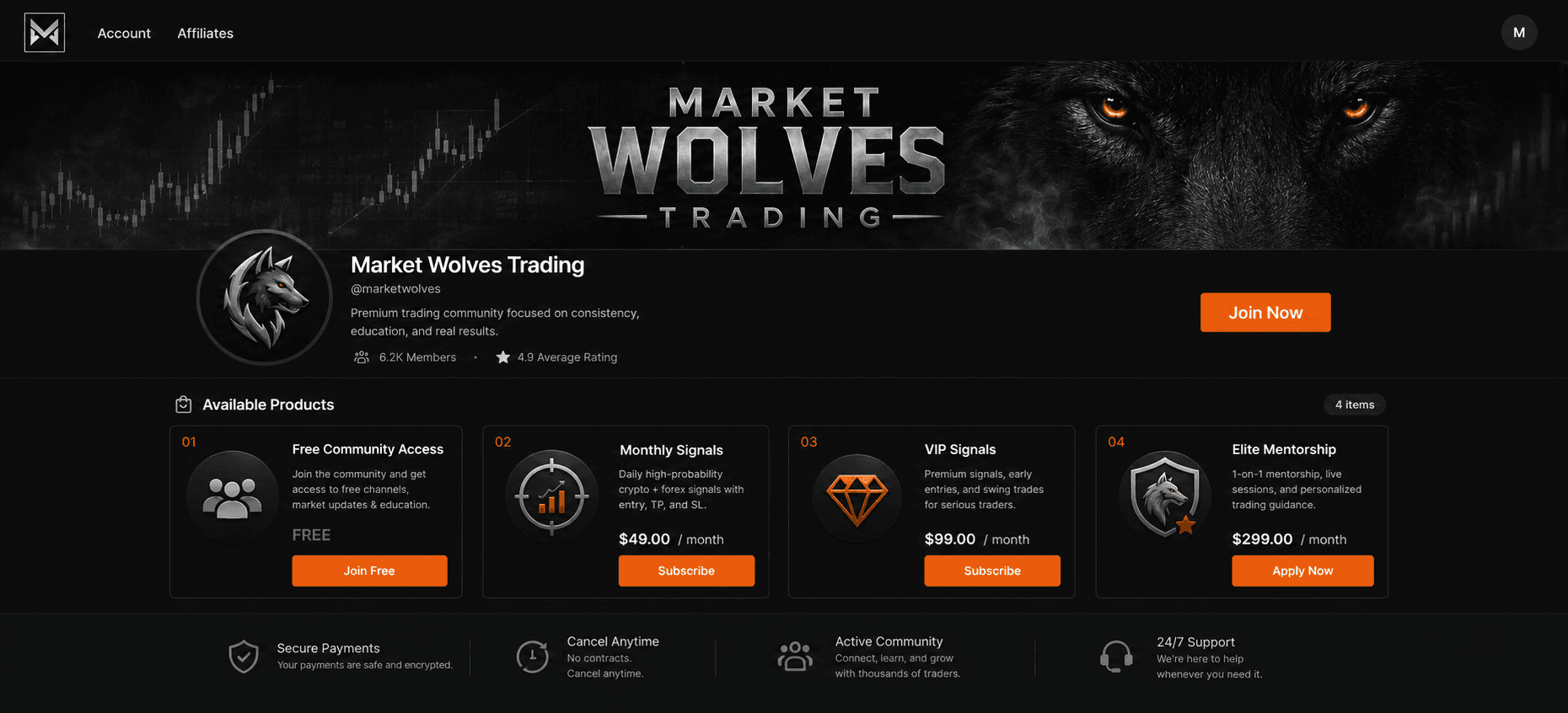
What Subscord automates
The paid-access work happens outside Discord
Discord is where the community lives. Subscord is the layer that sells access, verifies payment, keeps subscriptions current, notifies members, shows revenue, and syncs the paid role automatically.
Hosted checkout
Create a checkout for Trading Desk Membership and send buyers to one payment link instead of collecting payments manually.
Payment verification
Subscord verifies the payment status before access changes in Discord, so screenshots and manual confirmations are out of the workflow.
Role assignment
After a successful payment, Subscord grants the Premium Trader role that opens the paid Discord area.
Renewals and reminders
Subscriptions keep running without you chasing members. Renewal reminders and payment notifications keep buyers informed.
Revenue stats
Track subscribers, sales, payments, and transactions from the dashboard so you can see what the community is earning.
Access removal
If someone churns, cancels, or does not renew, Subscord removes the Premium Trader role automatically.
What Subscord automates for paid trading Discords
Trading communities often sell time-sensitive access, but the expensive operational work is keeping payment status and Discord access aligned. Subscord gives you checkout, payment verification, renewal handling, revenue visibility, and automatic role removal when a trader churns or does not renew.
Discord setup
Subscord connects checkout to your paid role
You decide what belongs in Discord. Subscord only needs a role that controls paid access and a product that grants that role after payment.
Paid Discord role
Premium Trader is the gate Subscord adds or removes based on payment status.
Restricted channels
Any channel that should be paid-only stays restricted to that Discord role.
Subscord product
Trading Desk Membership defines price, billing type, checkout, and the role it grants.
Automated sync
Subscord keeps checkout, renewals, notifications, and Discord access aligned after purchase.
Setup guide
How to create a paid Discord for trading communities
The setup is simple: Discord controls the role and private channels, while Subscord controls checkout, payment status, renewals, notifications, stats, and automatic access removal.
- 1
Create the Premium Trader role
Create the Discord role that represents paid access for this offer.
- 2
Lock your paid Discord channels
Create the channels where paid members belong, then make them visible only to members with that role.
- 3
Create Trading Desk Membership in Subscord
Set the price, billing type, checkout settings, renewal reminders, and payment notifications.
- 4
Attach the role to the product
Tell Subscord to grant the Premium Trader role when someone buys this product.
- 5
Share your checkout link
Subscord verifies payments, assigns access, tracks revenue, handles renewals, and removes the role when access ends.
Want the click-by-click setup?
The Subscord docs walk through connecting Discord, creating products, and assigning roles with the full setup flow.
Checkout products
Sell access without managing payments by hand
Create products that match how you charge: monthly membership, higher-tier access, or fixed-duration passes. Subscord handles checkout and maps each product to the correct Discord role.
Market Community
Monthly membership
Sell Market Community as monthly membership and let Subscord connect checkout, payment status, and Discord role access.
- Hosted checkout link
- Payment status verification
- Premium Trader role sync
Research Desk
Higher recurring tier
Sell Research Desk as higher recurring tier and let Subscord connect checkout, payment status, and Discord role access.
- Hosted checkout link
- Payment status verification
- Premium Trader role sync
Strategy Workshop
One-time access
Sell Strategy Workshop as one-time access and let Subscord connect checkout, payment status, and Discord role access.
- Hosted checkout link
- Payment status verification
- Premium Trader role sync
After checkout
The access lifecycle stays automated
The painful part is not creating one role. It is keeping every buyer's access correct as payments succeed, renewals come due, subscriptions fail, members cancel, and revenue changes over time.
Renewals stay connected to roles
Recurring payments keep the Premium Trader role active without a manual renewal checklist.
Members get payment notifications
Renewal and payment-status messages reduce confusion before access changes.
You can see what is earning
Dashboard stats show subscribers, transactions, and revenue instead of leaving you to reconcile payments by hand.
Churn removes access
If payment stops, Subscord removes the Premium Trader role so paid channels do not stay open forever.
Built for paid Discord access
Subscord is the payment and access automation layer
Checkout for the exact product
Sell Trading Desk Membership through a Subscord checkout instead of asking members to DM proof of payment.
Discord roles follow payment status
The Premium Trader role is assigned after payment and removed when access is no longer valid.
Recurring and one-time access
Run subscriptions, higher tiers, or fixed-access products while keeping each buyer tied to the right role.
Payments and revenue in one dashboard
See subscribers, sales, transactions, and revenue without maintaining your own spreadsheet.
Membership infrastructure, not investment outcomes
Subscord manages payments and Discord access. It does not verify trading claims, provide investment advice, or guarantee that a financial education or research business is eligible with a payment provider. Owners remain responsible for risk disclosures, licensing questions, refunds, marketing claims, and compliance with Stripe, Discord, and applicable laws.
Read Subscord's termsCommon questions
Frequently asked questions
Explore more
Other Subscord use cases
Automate paid access to your trading Discord
Create the paid role once, connect it to Subscord checkout, and let payment status control who has access.
Invite Subscord